LIVE  ·  v1.0.0

Relive the classics. Play online with friends.

PS1 + 9 sistemas
2 and 4 players online
Cloud Saves
v1.0.0 Stable

This is RevsGaming

Everything you need to play retro games online — from setup to your first online match

01

How to get started

01

Create your account

Sign up at revsgaming.com/register to get 2 months free trial. Confirm your email and you're ready.

02

Download & install

Download the .exe installer from the Download page. Run it as Administrator and RevsGaming installs in under a minute.

03

Log in & set your games folder

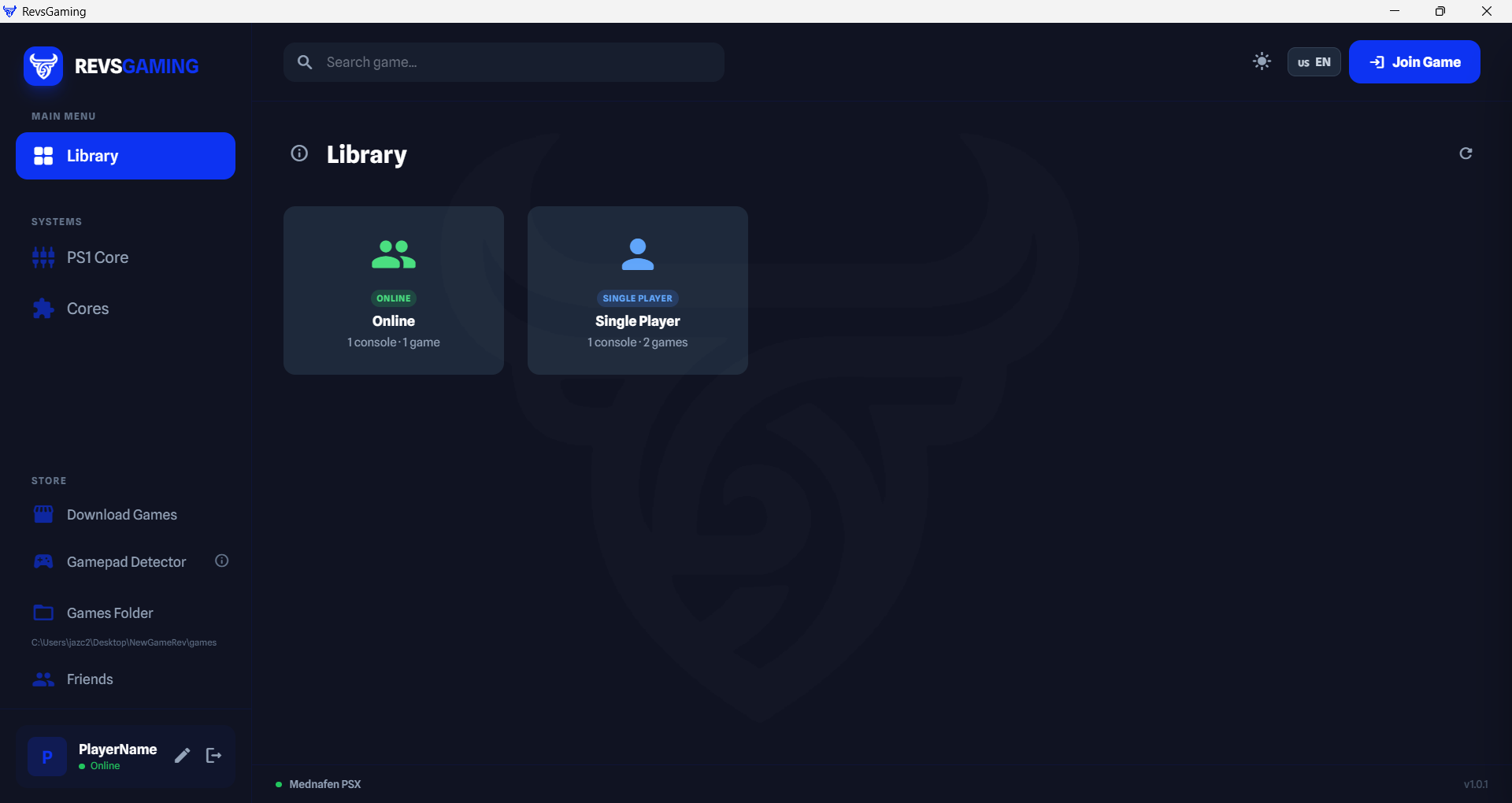
Open the app, log in with your credentials, and click the folder icon to select where your ROM files are stored. The library loads automatically.

04

Play solo

Click any game → choose Solo Mode. The emulator launches instantly. Your save states sync to the cloud automatically — never lose progress.

05

Play online (2 players)

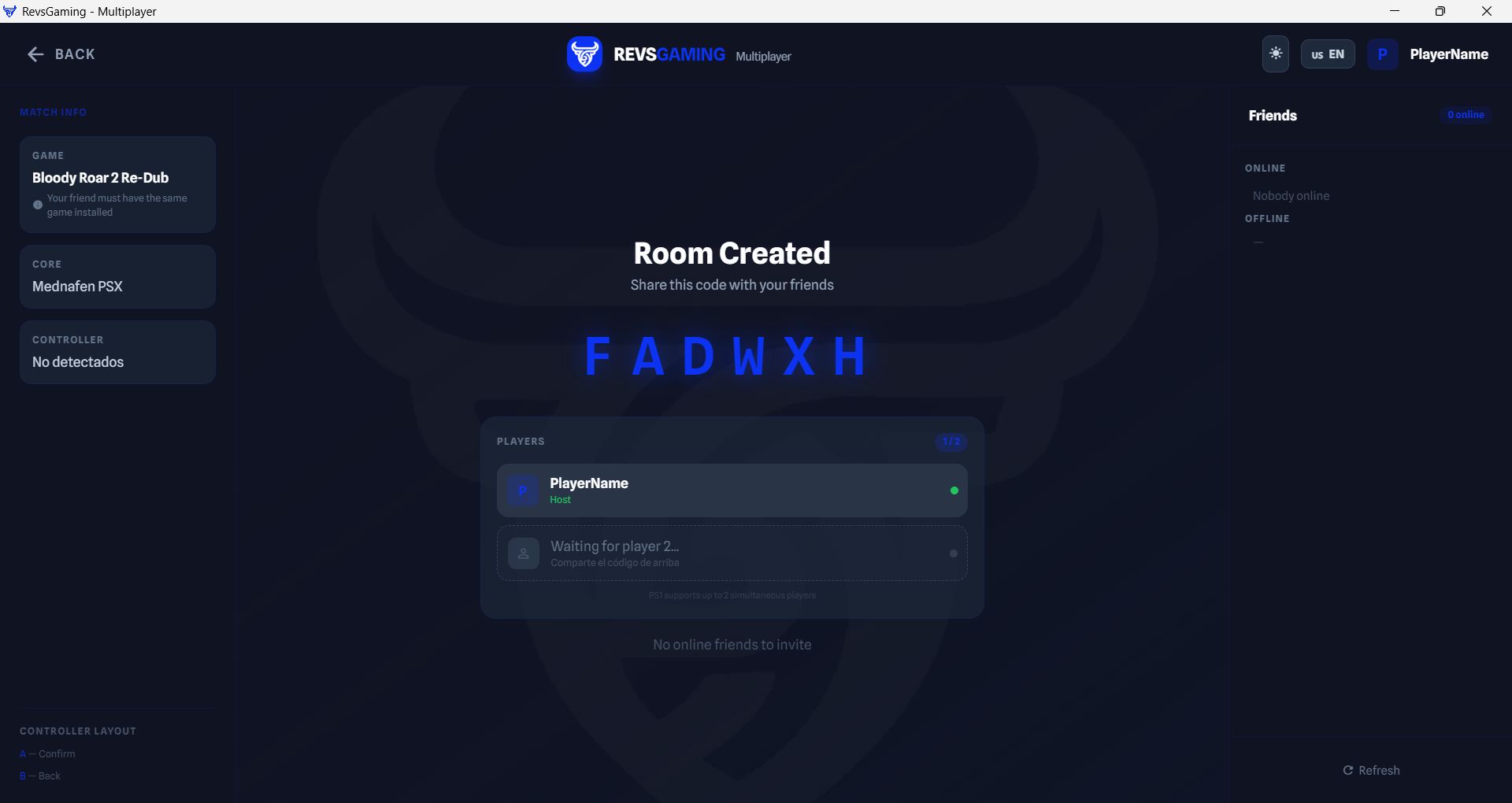
Select a PS1 game → Online ModeCreate Room. Share the 6-digit code with your friend. When they join, the game starts automatically.

06

Play online (up to 4 players)

For multi-system 4-player sessions, select a RetroArch-compatible game → Online → 4-Player Mode. Up to 4 friends simultaneously.

07

Add friends

In the Friends panel (right sidebar), search by username and send a request. See who is online, what they're playing, and invite them to your session with one click.

08

Gamepad support

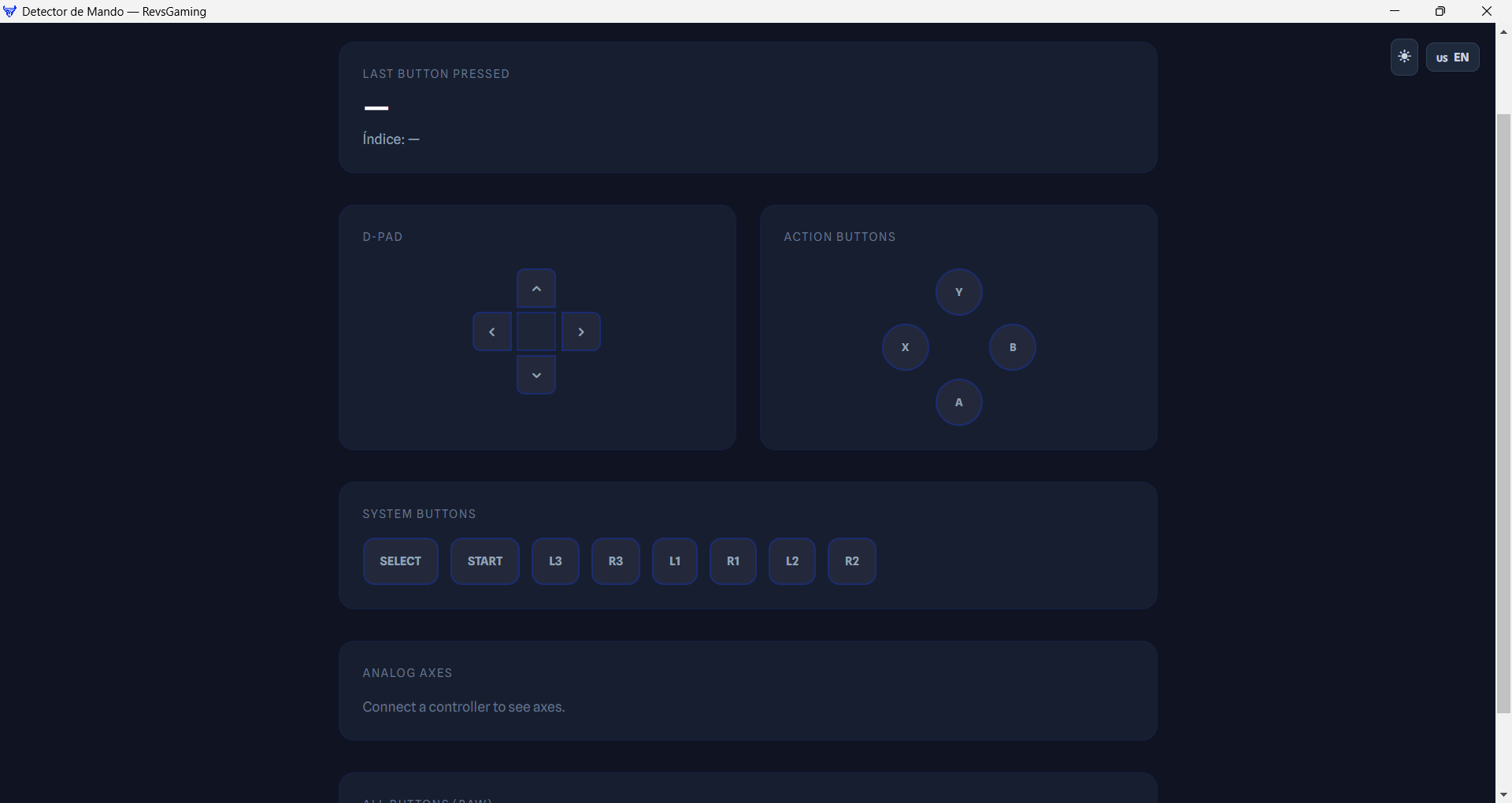
Connect any USB or Bluetooth gamepad. Navigate the library with the D-Pad, launch games with A, toggle views with Y. Use the built-in Gamepad Detector to test your controller.
02

See it in action

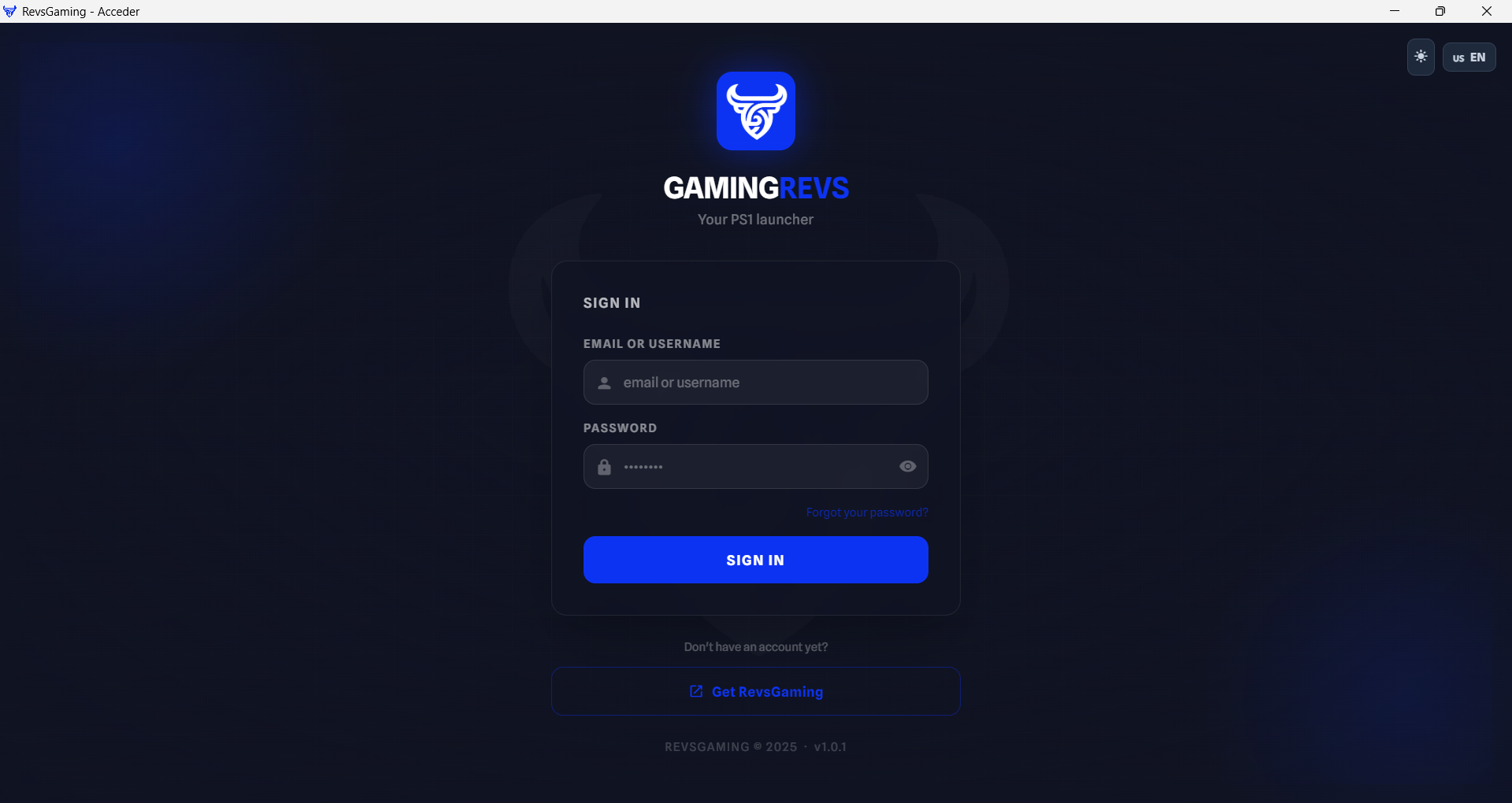
Step 1 – Login screen
Step 01
Log in with your email and password, or create a free account
Step 2 – Set your games folder
Step 02
Click the folder icon to select where your ROMs are stored — the library loads automatically
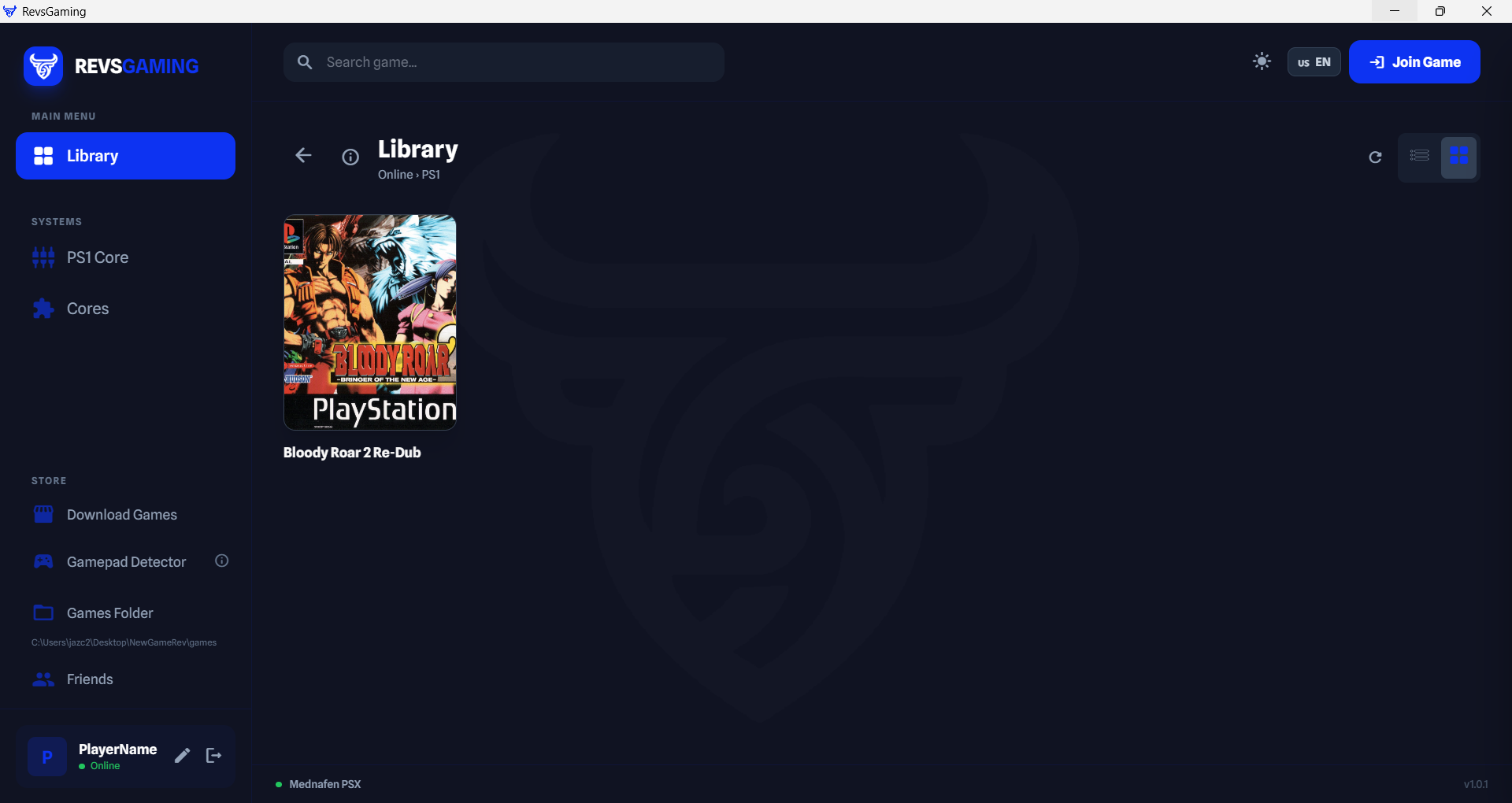
Step 3 – Game library
Step 03
Browse your library in list or grid view, search and filter by console
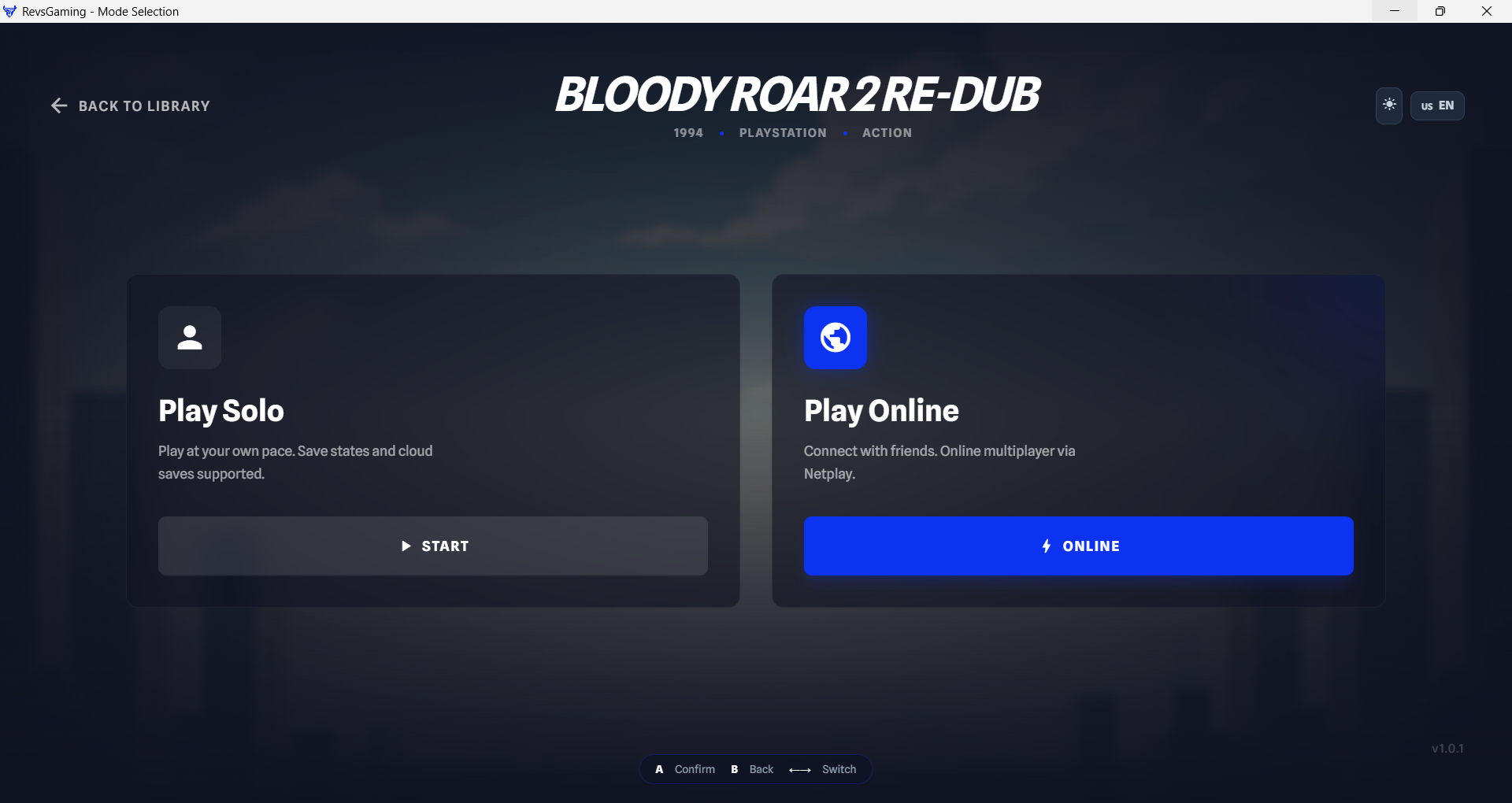
Step 4 – Select game mode
Step 04
Click a game to choose Solo or Online mode
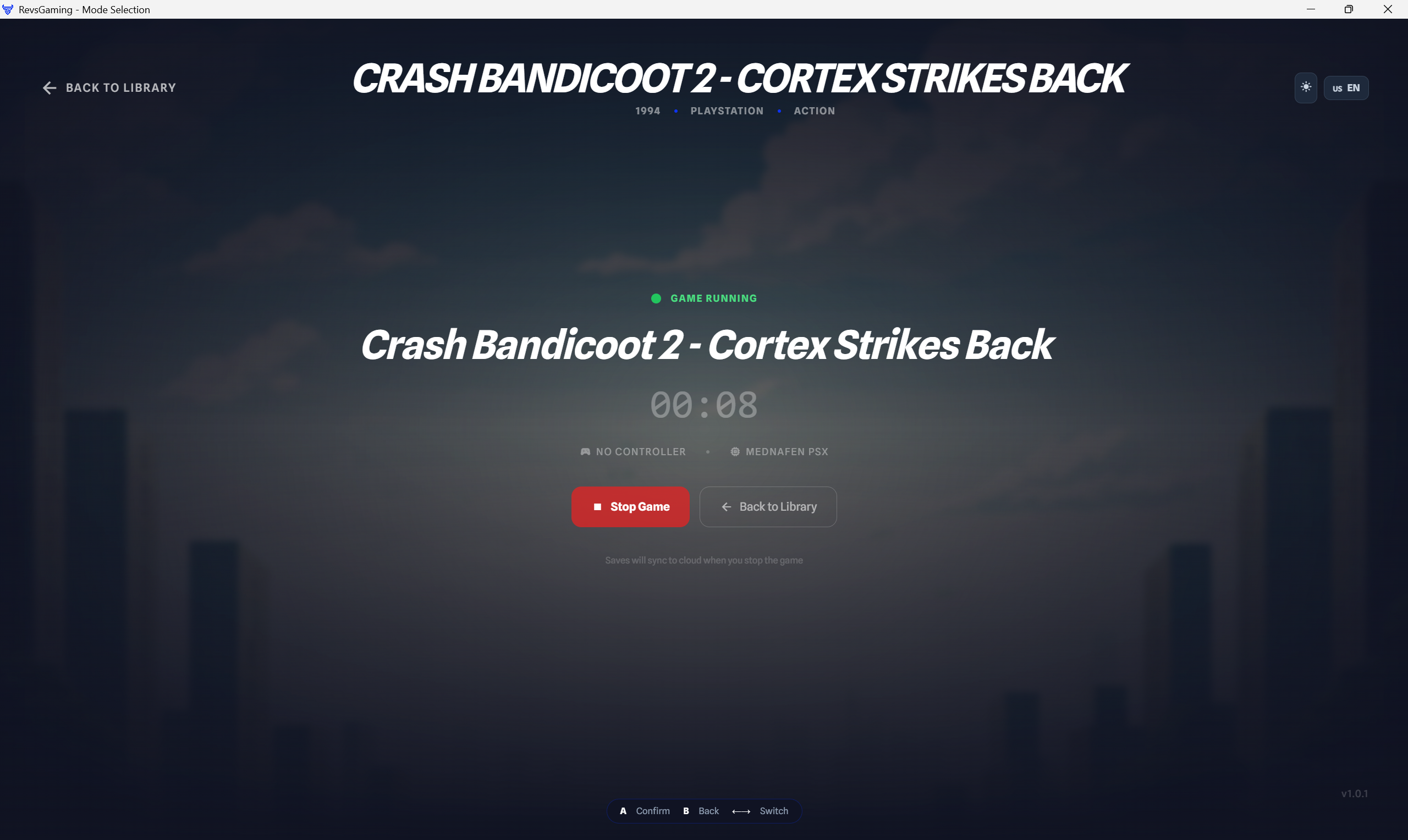
Step 5 – Solo play
Step 05
Solo mode launches the emulator instantly with automatic cloud save sync
Step 6 – Create online room
Step 06
Create a room and share the 6-digit code with your friend to start a netplay session
Step 7 – Friends panel
Step 07
See which friends are online, what they're playing, and invite them directly
Step 8 – Gamepad detector
Step 08
Test your controller with the built-in Gamepad Detector — every button mapped in real time
Step 1
Step 2
Step 3
Step 4
Step 5
Step 6
Step 7
Step 8

Everything you need to play retro

No emulator setup. No BIOS hunting. Straight to the game.

Supported Consoles

Multi-system from day one

🎮 PlayStation 1 NES SNES Game Boy Advance Game Boy / GBC Nintendo 64 Mega Drive Arcade / Neo Geo Saturn PlayStation 2

NES, SNES, GBA, N64, Mega Drive, Arcade, Saturn and PS2 require downloading the core from within the app. PS1 is included out of the box.

How Online Multiplayer Works

Two modes to fit your needs

Netplay PS1 2 players
1
Create room — you get a unique 6-letter code
2
Share the code with your friend however you like
3
Your friend enters it → the game starts automatically on both PCs
Netplay RetroArch up to 4 players
1
Create RetroArch room → you get a numeric code
2
Share with up to 3 friends — everyone enters the same code
3
Everyone joins → online session with up to 4 players
Dedicated servers — optimized for low latency

Install in 3 Steps

Ready to play in under 5 minutes

01
⬇️
Download the installer
Grab the .exe file from the GitHub release. Around 150 MB.
02
📄
Install with 1 click
Run the installer and follow the steps. Mednafen, RetroArch and all dependencies install automatically — no manual setup needed.
03
🎮
Add your games
Put your ROMs in any folder and point RevsGaming to it. Games appear automatically — ready to play.
🎮

Access RevsGaming

Pay once and get full access to RevsGaming — retro library, online netplay, cloud saves and all features.

$ 29.99 / year
Online netplay 2–4 players Automatic Cloud Saves PS1, NES, SNES, GBA, N64 and more All updates for the year
2 months free vs monthly
Secure payment via PayPal · SSL
v1.0.0 Stable

Download RevsGaming

Download for Windows
Windows 10 / 11 64-bit Mednafen + RetroArch included Access after purchase